Breville Blinking Lights: What They Mean & How to Fix
Complete guide to Breville Espresso Machine blinking lights. Decode error codes, descaling alerts, and steam wand flashing signals instantly.
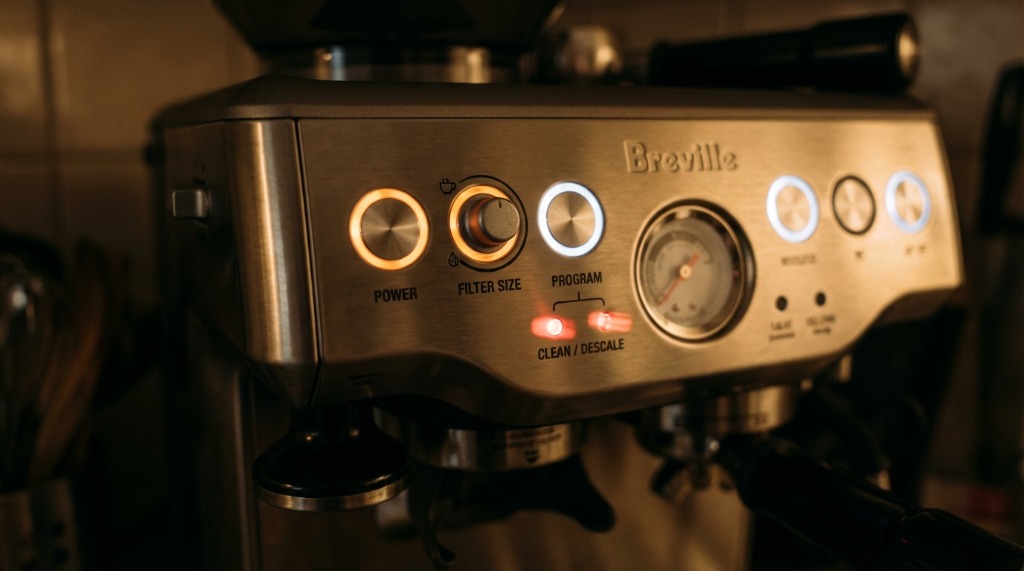
Woke up this morning, pressed the power button, and was greeted by a chorus of blinking lights instead of my usual warming glow. Panic mode engaged. After countless hours with my Breville and helping others troubleshoot theirs, I’ve decoded what all those flashing patterns actually mean.
Here’s your complete guide to Breville blinking lights—what they indicate and how to fix them.
Understanding Breville Light Indicators
Your Barista Express has several indicator lights that communicate machine status:
| Light | Location | Normal State |
|---|---|---|
| Power Button | Front panel | Solid when on |
| 1 Cup / 2 Cup | Below gauge | Solid when ready |
| Steam Dial | Near steam knob | Solid when steaming |
| Hot Water | Near hot water button | Solid during dispense |
| Clean Me | Front panel | Off (or solid when due) |
Steady lights = normal operation Blinking lights = attention needed
Quick Reference: Blinking Light Patterns
| Lights Blinking | Meaning | Urgency |
|---|---|---|
| Power + 1 Cup/2 Cup | Machine heating up | Normal ⚪ |
| 1 Cup / 2 Cup only | Descale required | Moderate 🟡 |
| Steam light flashing | Steam mode heating | Normal ⚪ |
| All lights flashing | Critical error | High 🔴 |
| Power light flickering | Power supply issue | High 🔴 |
| Clean Me solid | Cleaning cycle due | Moderate 🟡 |
Common Blinking Light Scenarios
Scenario 1: Lights Blinking After Power On
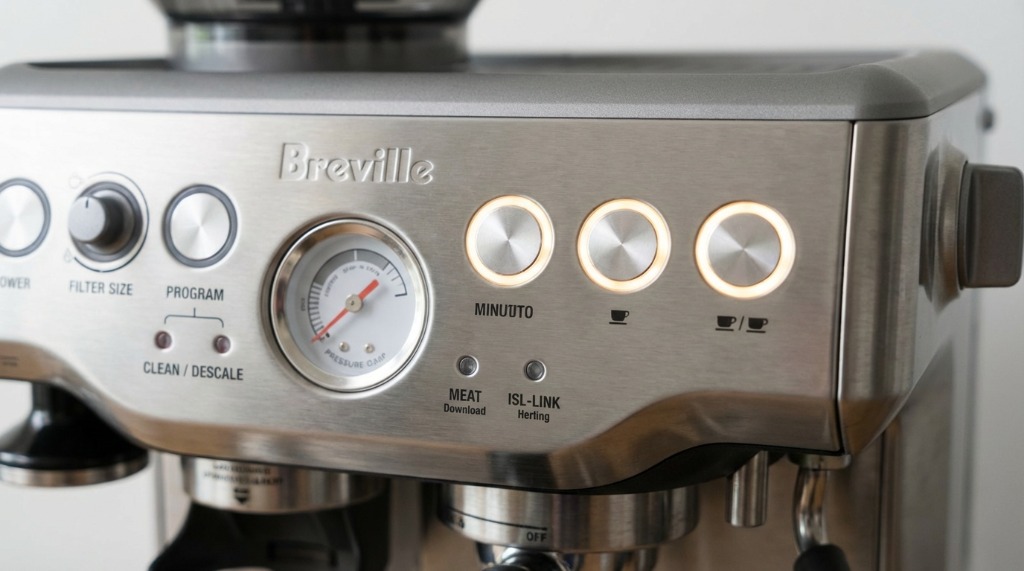
What you see: Power button and/or 1 Cup/2 Cup lights blinking after turning on the machine.
What it means: The machine is heating up. This is completely normal.
Duration: 30-60 seconds until lights go solid
Fix: Wait. When lights stop blinking and go solid, you’re ready to brew. If they never stop blinking after 3+ minutes, see the troubleshooting section below.
Scenario 2: 1 Cup and 2 Cup Blinking Together
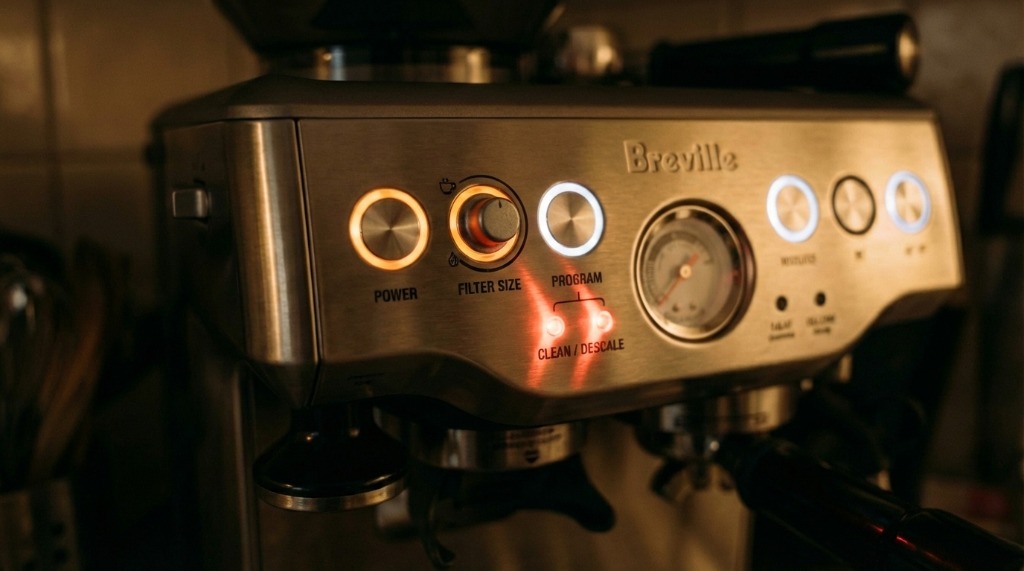
What you see: Both brew buttons blinking simultaneously.
What it means: Descaling required. The machine has detected mineral buildup beyond a certain threshold.
Fix:
- Run a full descaling cycle (see our descaling guide)
- Use Breville’s descaling solution or citric acid
- Complete the rinse cycle thoroughly
- Lights should stop blinking after successful descale
If lights continue after descaling: You may need to reset the descale counter—see the reset procedure below.
Scenario 3: Steam Light Flashing
What you see: Steam button/light flashing after turning the steam dial.
What it means: Machine is transitioning from brew temperature to steam temperature.
Duration: 20-40 seconds
Fix: Wait for the light to go solid. The machine needs time to heat the boiler to the higher steam temperature. Flashing during this transition is normal.
Scenario 4: Clean Me Light On (Solid)
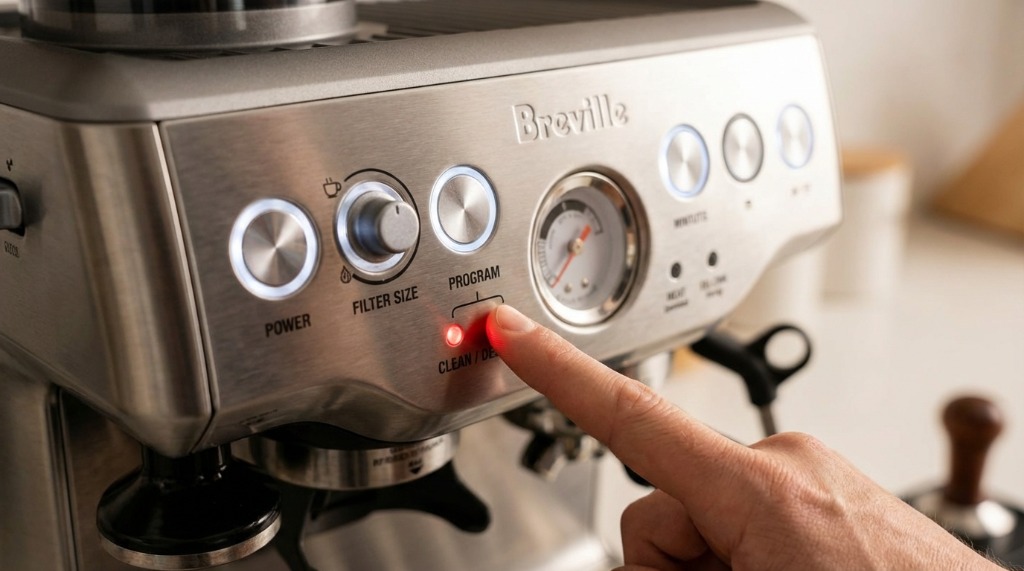
What you see: “Clean Me” indicator illuminated solid.
What it means: Time for a cleaning cycle with the included cleaning tablets.
Fix:
- Insert the rubber cleaning disk in the portafilter
- Add a cleaning tablet
- Run the cleaning cycle (hold 1 Cup + 2 Cup + Power together)
- Light should extinguish after successful cycle
Scenario 5: All Lights Blinking or Flickering
What you see: Multiple lights blinking erratically, possibly with strange machine behavior.
What it means: Potential system error, electrical issue, or component failure.
Fix:
- Turn off and unplug the machine
- Wait 30 seconds
- Plug back in and power on
- If problem persists, see Critical Troubleshooting section below
Descale Light Reset Procedure
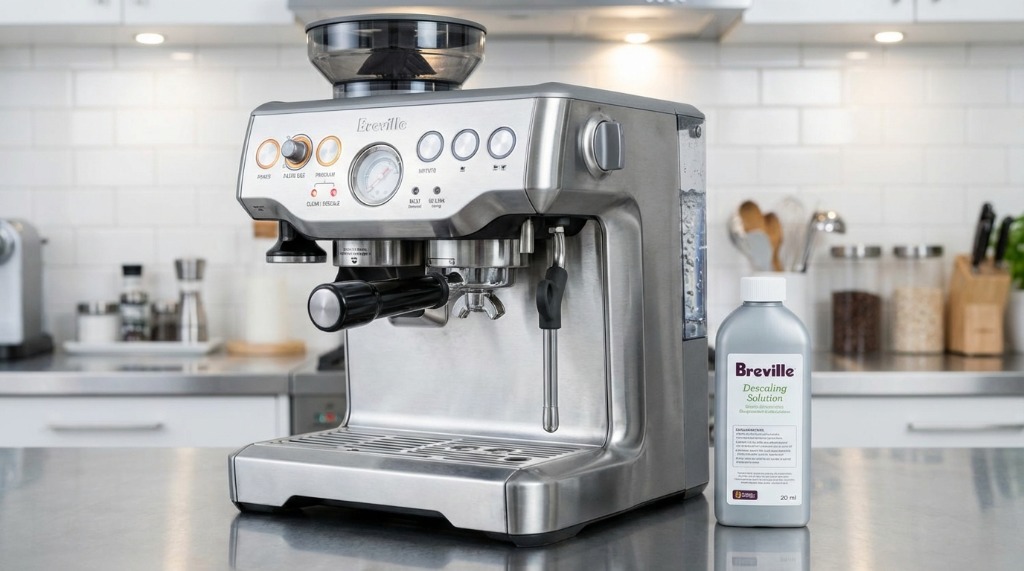
Sometimes the descale indicator keeps blinking even after you’ve properly descaled. Here’s how to reset it:
For Barista Express / Barista Express Impress:
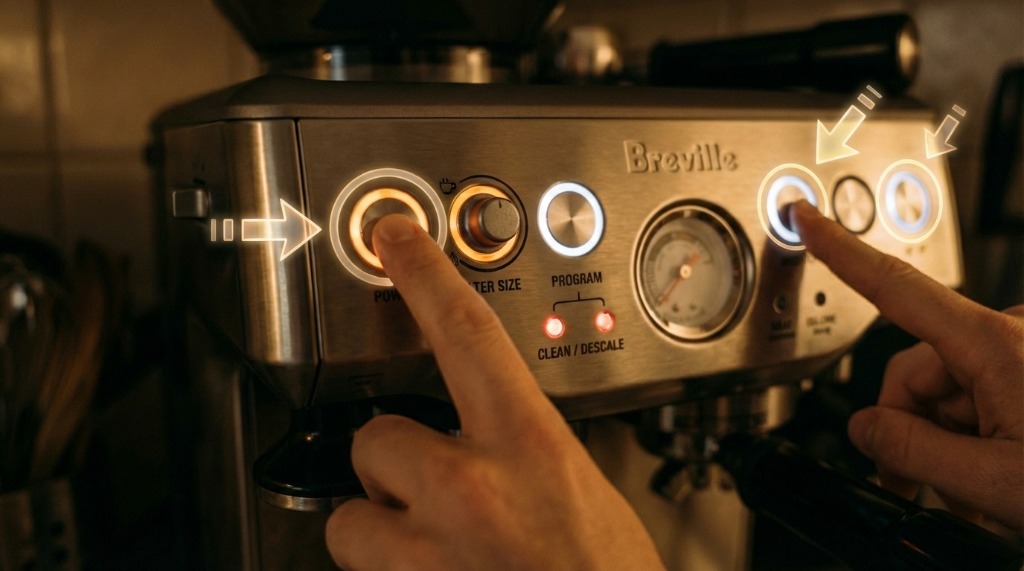
- Ensure machine is OFF
- Press and HOLD the 1 Cup and 2 Cup buttons simultaneously
- While holding, press the POWER button
- Continue holding 1 Cup and 2 Cup for 3-5 seconds
- Release all buttons
- Lights should reset
Alternative Reset Method:
- With machine ON and ready
- Press and hold 1 Cup for 5 seconds
- Then press and hold 2 Cup for 5 seconds
- Check if descale indicator has cleared
Note: These procedures may vary slightly by model. Consult your specific manual if the above doesn’t work.
Critical Troubleshooting
Lights Won’t Stop Blinking After Heating
If your machine blinks continuously for more than 3 minutes after power on:
- Check water tank: Is it properly seated? Is there water in it?
- Check drip tray: Is it properly inserted?
- Temperature issue: Machine may not be reaching proper temperature
- Power cycle: Turn off, unplug for 1 minute, try again
Still blinking? This could indicate:
- Thermostat failure
- Heating element issue
- Temperature sensor malfunction
Contact Breville support or a repair technician.
Power Light Flickering or Dim
Flickering power light (not the normal blinking during heat-up) indicates electrical issues:
- Try a different outlet—preferably one not shared with other appliances
- Check the power cord for damage
- Ensure proper voltage—Breville machines require specific voltage for your region
- Avoid extension cords—plug directly into wall outlet
If flickering continues: Stop using the machine. This could indicate internal electrical faults.
Machine Turns Off Unexpectedly
If your machine powers off randomly with no warning:
-
Thermal protection triggered: Machine overheated and shut down for safety
- Wait 30+ minutes for cool down
- Check for blocked vents
- Ensure adequate ventilation around machine
-
Power supply issue:
- Try different outlet
- Check if other appliances on same circuit cause issues
-
Internal fault:
- If happens repeatedly, contact Breville
Preventive Maintenance to Avoid Blinking Lights
Most blinking light scenarios are preventable with regular maintenance:
Weekly
- Run backflush with water (no tablet)
- Clean drip tray
- Wipe exterior and portafilter
Monthly
- Run cleaning cycle with tablet
- Clean grinder with brush
- Descale if you have hard water (every 2-4 weeks)
Quarterly
- Full descale with Breville solution
- Check and clean shower screen
- Inspect group head gasket
Annually
- Replace water filter
- Consider gasket replacement
- Deep clean grinder burrs
Breville Error Codes
Some Breville models display actual error codes in the display. Common codes:
| Code | Meaning | Fix |
|---|---|---|
| E01 | Temperature sensor error | Service needed |
| E02 | Grinder motor error | Check for jammed grounds |
| E03 | Water flow error | Descale, check pump |
| E04 | Steam system error | Check steam valve |
| E05 | Overheat protection | Let cool, check blockages |
For any E-code that persists after power cycling: Contact Breville support.
When to Contact Breville Support
Reach out to Breville if you experience:
- Lights blinking with no resolution after the above steps
- Any E-code error that persists
- Electrical issues (flickering, shutdowns)
- Strange noises accompanying light issues
- Machine under warranty showing problems
Breville Support: Check your manual for regional contact information or visit breville.com
Warranty: Most Breville machines have 1-2 year warranty. Keep your receipt and register your product.
FAQs
My machine blinks forever during warm-up. Is it broken?
If blinking continues past 3 minutes and the machine never reaches operating temperature, there’s likely a heating system issue. Try power cycling first. If that doesn’t work, contact Breville.
How often should the descale light come on?
Depends on your water hardness. With hard water, every 2-4 weeks. With filtered/soft water, every 2-3 months. If it triggers very frequently, consider using softer water.
Can I ignore the Clean Me light?
Short term, yes—it won’t prevent brewing. Long term, not cleaning leads to coffee oil buildup, off-flavors, and potentially blocked components. Run the cleaning cycle when indicated.
Why does my steam light blink for so long?
The transition from brew to steam temperature takes 30-60 seconds. If it blinks for more than 90 seconds without going solid, there may be a heating issue.
Will power outages cause blinking lights?
Sometimes. After a power outage, the machine may need a full startup sequence. Turn off, wait 30 seconds, turn back on. Any temporary settings may need to be re-entered.
Key Takeaways
- Blinking during warm-up is normal—30-60 seconds of blinking after power on is expected
- Descale when indicated—those blinking lights mean mineral buildup
- Clean Me light = maintenance time—running the cleaning cycle is easy and necessary
- Persistent blinking = deeper issue—contact Breville if problems continue after basic troubleshooting
- Preventive maintenance prevents most issues—regular descaling and cleaning keeps lights steady
- Know your reset procedures—sometimes a simple reset clears stubborn indicators
Most blinking light scenarios are triggered by normal maintenance reminders. Stay on top of descaling and cleaning, and you’ll rarely see unexpected flashing.
Related Guides:

Mikael
Home espresso enthusiast and Breville specialist. Helping you master the art of coffee brewing from your own kitchen.
Learn more about me →